
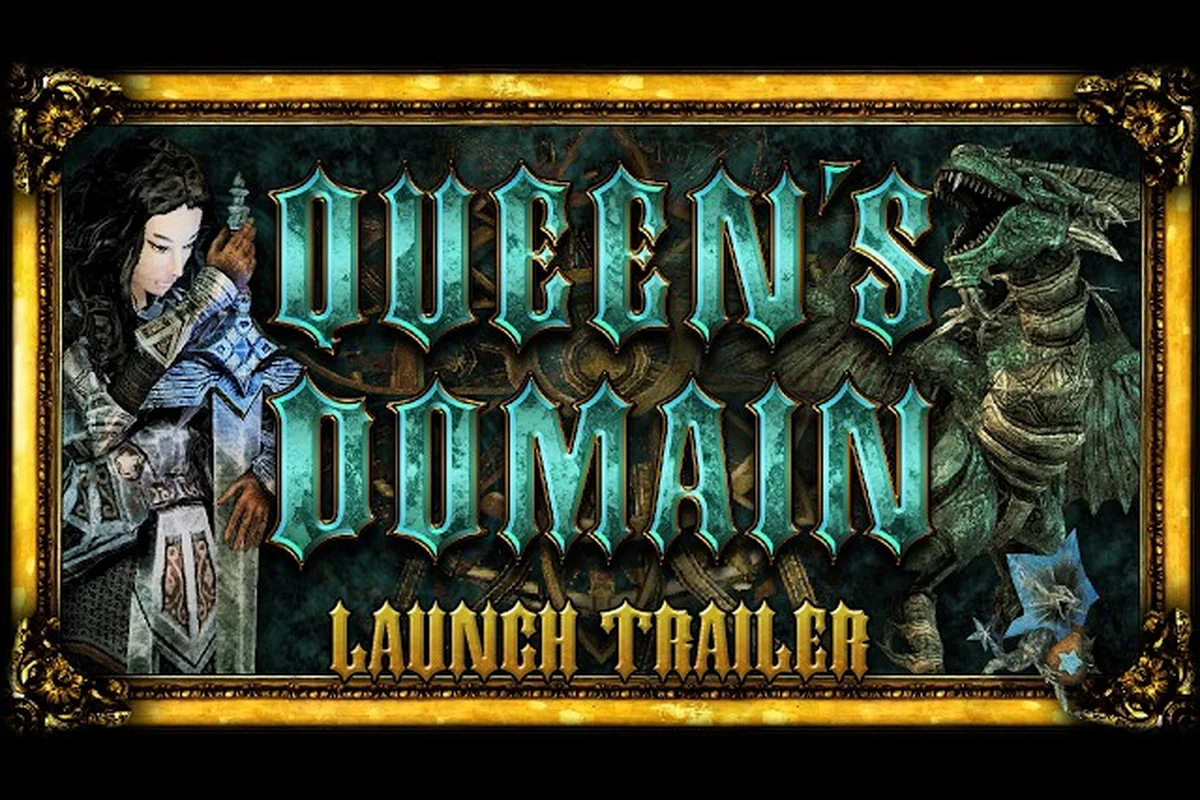
Queen's Domain explained clearly starts with the systems you must understand: life points, stamina, the power bar, weapon evolution, and an interconnected island. Knowing what each term means prevents wasted resources and makes the surviving journey easier to read.
Queen's Domain Basics and the Vocabulary New Players Meet
Queen's Domain is a first-person retro-fantasy action RPG and dungeon crawler from Freshly Baked Games. Its opening premise places you on the Isle of Neasied, searching for a missing father while uncovering the island's dark heart and the stir of a sleeping Queen. The official Steam news feed also identifies the scale: more than 100 enemies, mini bosses and bosses are combined across the world.
The terminology can initially make the systems seem more complicated than they are. Queens Domain 101 begins with six confirmed terms: life points, life charm, power bar, stamina meter, bestiary, and weapon evolution. None of these labels refers to a character class, and the developers have not documented a conventional build tree.
| Term | Confirmed meaning | Practical question to ask |
|---|---|---|
| Life points | The health resource used to survive damage | How much health do I currently have? |
| Life charm | An accessory that raises life points | Am I carrying an accessory with additional life? |
| Power bar | A documented progression resource | What does the bar currently show or change after combat? |
| Stamina meter | The meter that drives classic melee combat | Can I attack, charge, or recover without running it empty? |
| Bestiary | An in-game encyclopedia of creatures | Which entries have I opened, and can I scroll them? |
| Weapon evolution | A confirmed feature affecting melee weapons | What changes when this weapon reaches its evolution state? |
What the opening systems actually establish
The game presents the player with three connected resource ideas. Life points measure survivability, the stamina meter governs how combat actions are performed, and the power bar is a separate progression display. Official material does not specify exact regeneration rates, numerical values, or the precise conversion between these systems, so each should be observed directly rather than reduced to an invented formula.
Combat also supports charge attacks. Every melee weapon has its own special attack, while more than 20 types of throwing weapons can provide ranged options. The library contains more than 50 findable melee weapons that can be equipped and upgraded. This creates meaningful equipment decisions, but not evidence of fixed builds or named classes.
A practical first-session inventory check
Use this sequence while learning the interface, and keep a quick record of each result so that combat pressure does not obscure the survival-critical signals. A life charm changes the survival calculation: if a life-point loss would otherwise become fatal, the accessory’s description and trigger determine whether damage is reduced, negated, or restored. That distinction matters more than the accessory’s rarity because it determines whether light attacks, charge attacks, and weapon-specific specials can be used without turning a mistake into a reset. The confirmed feature table also frames stamina-based combat as a deliberate system of attacks and retreats, but exact stamina cost, attack delay, and recovery values remain unknown and should be verified in practice.
-
Notice what happens when the life-point display drops during combat.
-
Watch the stamina meter during light attacks, charge attacks and special attacks.
-
Locate the power bar before and after defeating an enemy.
-
Open the bestiary and record which creatures have discovered entries.
-
Equip an accessory and determine whether its description identifies it as a life charm.
-
Check the upgrade and evolution screens on a melee weapon.
-
Return to the same location and note whether previously defeated enemies remain defeated.
The last check follows a documented demo behavior: enemies killed before death did not respawn when a player continued. This is worth confirming in the current release because it can shape route planning without assuming every enemy permanently disappears. For example, after clearing a group near the starting area, return to that spot and note whether the creatures stay defeated, whether the area reloads only after a later transition, or whether a specific enemy type behaves differently. Treat the result as a survival-planning signal rather than a fixed rule, especially because enemy persistence, room resets, and respawn conditions are not fully documented in the current feature data.
| Confirmed feature | Practical survival value | Information still unknown |
|---|---|---|
| Stamina-based combat | Encourages measured attacks and retreats | Exact cost, delay and recovery values |
| Charge attacks | Adds deliberate heavy-attack options | Damage and interruption rules |
| Weapon-specific specials | Encourages experimentation by weapon | Full list of special moves |
| Throwing weapons | Supports ranged handling | Ammunition rules and damage values |
| Upgradable weapons | Extends equipment usefulness | Required materials and upgrade limits |
| Evolving weapons | Adds a later progression layer | Exact evolution requirements and effects |
This vocabulary establishes the foundations of queens domain basics. For broader control and progression orientation, the Queen's Domain starter guide can serve as a companion, but the terminology itself remains best understood through in-game observation.
Life Points, the Power Bar, and the Health Model
Queen's Domain uses life points as its health language. The game also documents a life charm, which is an accessory that raises life points. That distinction is useful because it separates the resource you spend from the equipment that can increase its maximum. However, no official source has published exact health totals, damage received, healing rules or accessory drop rates.
The important distinction is that life points, stamina and the power bar should not be treated as interchangeable meters. Stamina supports combat actions, while the power bar appears to track progression. Life points determine how long you can remain active under enemy pressure. Confirmed food effects raise stats, but which foods provide which stat increases is not documented as of 2026-10-31 and must be verified in game.
Reading the resource model safely
A safe interpretation avoids assigning hidden formulas to visual bars. Instead, watch how each resource responds during normal play and record the result—for example, note whether life points fall only after a confirmed hit, whether stamina drops during every melee swing, and whether the power bar advances after combat rather than continuously during exploration. These controlled observations help distinguish visible cause and effect from undocumented values, such as exact enemy damage, stamina costs, or level thresholds, without overstating what the game’s interface reveals.
| Observation | What it can confirm | What it cannot confirm |
|---|---|---|
| Life points fall when hit | The display tracks damage | Exact enemy damage values |
| Life charm changes maximum life | The accessory raises life points | Best charm or universal drop rate |
| Stamina drops during melee | Stamina funds attacks | Exact cost of every animation |
| Power bar advances after combat | It responds to progression events | Required XP threshold per level |
| Food changes a stat panel | Food affects character stats | Best food for a specific route |
The safest queens domain survival tips begin with observation rather than optimization. Do not spend a life charm simply because it is available; note how much life it adds and whether your current route produces enough pressure to justify that trade. Likewise, avoid interpreting a rising power bar as permission to fight recklessly, because the relationship between level progress and enemy difficulty is not documented.
Test each resource without changing your route
A controlled test takes only a few minutes and prevents guesswork from becoming a bad habit: save before a safe encounter, attack one target, and record life points, stamina, the power bar, and any visible stat change. For example, compare one charged strike launched with a depleted stamina meter against the same attack with a full meter; if the weaker version costs as much stamina but deals less damage, use normal attacks until enough stamina is restored. Testing life charms, food items, and retreat thresholds in this way turns unclear survival mechanics into evidence you can apply during exploration and combat.
-
Record your current life points before combat.
-
Fight one enemy at a time and watch which actions drain stamina.
-
Attempt one charge attack when stamina is low, then compare it with one made from a full meter.
-
Defeat an enemy and note whether the power bar changes immediately or after additional actions.
-
Compare a food item before and after consumption.
-
Return to safe ground and observe whether health changes naturally. If it does not, do not assume a regeneration rate that the game never displayed.
-
Record a deliberately short combat test rather than attempting dangerous trials against large enemies.
| Decision | Evidence to use | Reason |
|---|---|---|
| Keep or replace a life charm | Observed maximum-life difference | Avoid relying on an undocumented “best” accessory |
| Use a charge attack | Stamina left after normal attacks | Determine which attacks remain practical |
| Eat a food item | Visible stat change | Compare benefit rather than trusting an unknown tier |
| Leave a fight | Life-point trend and enemy behavior | Preserve progress instead of gambling on uncertain rules |
Handling uncertainty around healing
Healing rules, controls, keybindings and difficulty settings are not documented as of 2026-10-31. If the interface offers a healing action, use a safe area to test how much it restores and how often it can be used. If it does not, do not manufacture a rule from general action-RPG experience. The game also documents blood and skeletons as content descriptors, so a grim presentation should not be treated as evidence of an especially punishing rule.
Weapon Evolution in Plain Language
Weapon evolution is confirmed, but its complete recipe is not. The clearest official evidence comes from version 1.01.01, which fixed a freeze occurring when weapons evolve. That patch note proves the feature exists and that it can be reached during play; it does not disclose weapon names, evolution paths, materials, appearance changes or numerical effects.
This limitation matters because 50+ melee weapons can be found, equipped and upgraded, and each has a weapon-specific special attack. That breadth makes experimentation valuable, yet it would be misleading to publish an invented evolution tree. No named weapon from the game's catalog has been officially documented, so this guide deliberately avoids labels that do not exist in the verified release information.
Discover the evolution interface yourself
You can confirm the system without relying on outside speculation: use the evolution interface as the source of truth for melee weapon progression. For example, select a weapon, compare its listed damage, charge attack, and special attack values before upgrading, then check the evolution panel for the exact material, quantity, and threshold. This matters because Queens Domain separates confirmed weapon properties from assumptions, letting you track whether the evolution stage changes combat behavior as well as the displayed statistics.
-
Acquire a melee weapon you can equip.
-
Open its upgrade or progression screen.
-
Record every requirement listed by the interface.
-
If an evolution condition appears, note the exact resource and threshold.
-
Compare the weapon's displayed properties before and after evolving it.
-
Test its regular attack, charge attack and weapon-specific special after the change.
-
Record whether the visual model or animation changes alongside the stats.
| Stage | Confirmed system element | What to record |
|---|---|---|
| Discovery | More than 50 melee weapons exist | Where the weapon was found and whether it is unique |
| Equipping | Weapons can be equipped | How the active weapon changes in combat |
| Upgrading | Weapons can be upgraded | The displayed material and resulting change |
| Special attack | Every melee weapon has one | The move performed by that weapon |
| Evolving | Weapon evolution is confirmed | Requirements, new properties and visual changes |
What makes one weapon worth keeping
Because no official tier list exists, compare practical roles rather than labeling weapons good or bad. Record the weapon against a common enemy, then against the most difficult encounter you have safely reached. Pay attention to stamina consumption, attack speed, reach and the behavior of the special move. Those qualities can be observed, even when damage formulas remain unknown.
| Test | More useful weapon | Less useful weapon |
|---|---|---|
| Normal melee pressure | Preserves stamina for repeated actions | Leaves little room to retreat |
| Charged attack | Performs reliably without interrupting the flow | Consumes the resource needed for defense |
| Special attack | Creates useful distance or pressure | Leaves the player exposed |
| Equipment value | Supports several approaches | Duplicates another weapon without improving the encounter |
| Upgrade effect | Improves a visible property | Has no clearly stated benefit |
A practical limitation of upgrade materials is that exact acquisition rules are not documented. If the interface requests an item, record the item's name from your own screen. Do not substitute a similarly named object from another action RPG. For broader equipment planning, the map and exploration route guide can help organize where discoveries occur, while the weapon itself still needs field testing.
Treat evolution as a goal, not an assumed shortcut
A weapon can be upgraded without being best for the current encounter, and an evolved weapon can still consume stamina inefficiently for your play style. Compare it with a throwing weapon before committing everything to melee. The catalog's breadth supports experimentation, but the documented combat rules reward controlled use of the stamina meter.
Why Queen's Domain Classes and Builds Are Not Documented
Queen's Domain has no documented character-class system. The developers have not published fighter, mage, rogue or similar roles, and no official material describes a skill tree that assigns permanent class abilities. Describing those systems would add mechanics the game has not confirmed. The same warning applies to named builds: there is no verified foundation for calling a setup a caster, greatsword, critical, poison or other recognized archetype.
Weapon-specific specials create distinct actions, but weapon-specific does not mean class-locked. A player may use more than 50 melee weapons and more than 20 types of throwing weapons, so equipment experimentation functions as progression. Yet calling a favorite combination a canonical build would imply a structure the developer has not documented.
Confirmed progression versus unsupported assumptions
| Topic | Confirmed | Not documented as of 2026-10-31 |
|---|---|---|
| Character identity | One player character | Named classes or class descriptions |
| Skills | XP leveling and stat increases from food | Skill trees, talent trees or respec rules |
| Weapons | 50+ melee and 20+ throwing types | Weapon tier list or named starter build |
| Equipment | Weapons, upgrades and life charms | Armor system or armor rarity |
| Evolution | Melee weapons can evolve | Complete evolution tree or exact stat changes |
| Difficulty | First-person action RPG structure | Difficulty presets or difficulty classes |
Queens domain survival tips should therefore be equipment- and resource-driven, not class-driven. A practical player can prefer a compact melee weapon that preserves stamina, but that preference is a personal play pattern rather than an official build. Another player may favor throwing weapons to create space. Both choices can be valid without belonging to named categories.
A build-neutral equipment test
Track five observations whenever you change a loadout: note stamina drain across repeated melee swings, the distance created by the weapon’s special attack, whether a throwing weapon works better in narrow corridors, which visible upgrade or evolution requirement appears in the interface, and whether the setup handles both weak and dangerous enemies. For example, if a melee weapon’s stamina cost leaves little room for evasive movement, compare it with a throwing option that preserves mobility but changes the fight’s rhythm; the goal is a practical build, not a labeled melee or ranged class.
-
How long can you attack before stamina becomes scarce?
-
Does the weapon's special attack help you create distance or deal with a group?
-
Can you switch to a throwing option when a corridor limits movement?
-
What visible upgrade or evolution requirement does the interface show?
-
Does the setup remain effective against both weak and dangerous enemies?
| Loadout component | Question answered | Build label to avoid |
|---|---|---|
| Melee weapon | How is melee stamina managed? | No official melee class |
| Throwing weapon | Does ranged handling fit the encounter? | No official ranged class |
| Life charm | How much maximum life is required? | No published support tier |
| Food | Which stat increase feels useful? | No published stat-build tree |
| Upgrade choice | Which displayed property improves? | No official prestige tier |
How to discuss your setup without invented labels
Describe the equipment and behavior instead. “A high-stamina melee setup with a life charm” is more precise than assigning a fictional class. “I use throwing weapons to control spacing” explains a tactic without claiming a hidden specialization. This approach also makes your notes portable if updates clarify how equipment or progression works.
If the game displays a skill, passive, class selection or build menu, that is where direct verification begins. Record the exact wording and describe what changes during combat. Until such an interface appears in your version, the absence of official class documentation is more informative than a borrowed rule set from another game.
How the Island Connects Survival, Exploration, and Progression
The Isle of Neasied is one interconnected island filled with secrets and shortcuts. Your main traversal tool is the Legendary Holy Sword Endu, which lets you fly between platforms and across gaps. Upgrading it extends flight distance, making equipment improvement relevant to both combat and access. Cliffs are the principal traversal barrier.
Water return pits send the player back after falling into water. Version 1.01.01 added missing return pits around Neasied, so recent builds address an important recovery loop. The official patch summary also records fixes for a Pit of Despair softlock, a Mimic freeze, a stuck Executioner door and a floating Star Lizard bag. These are concrete examples of the systems interacting.
Exploration with limited assumptions
The only officially published place names are the Isle of Neasied and the Pit of Despair. There is no published world map, region list, chapter structure or dungeon floor count. The named achievement list also should not be treated as a map because an achievement title does not prove that it corresponds to a region or boss.
| Exploration condition | Confirmed response | Verification target |
|---|---|---|
| Gap too wide to cross | Fly with the Holy Sword Endu | How much flight distance the current upgrade provides |
| Cliff blocks the route | Seek a climb, shortcut or alternate route | Whether a return path is faster |
| Fall into water | Use a water return pit | How quickly the pit returns you to traversable ground |
| Unfamiliar creature | Consult the bestiary | Whether its entry explains behavior |
| Door appears blocked | Test the route and check for a freeze | Whether the current version remains responsive |
| Path seems circular | Compare landmarks and shortcuts | Whether you missed an island connection |
Queens Domain exploration tips that respect unknown geography
Mark routes in your own notes rather than assuming a published map. Record the location of water return pits, narrow passages, shortcuts and platforms that require flight. Because cliff height affects access, compare the Holy Sword Endu's flight distance before committing to a long climb. The queens domain exploration tips that matter most are therefore observational: learn return points, retain viable escape routes and verify whether a shortcut works in both directions.
A useful loop has four stages: scout the route, prepare the loadout, enter cautiously, and review the results. For example, test a suspected shortcut by measuring its flight distance with the Holy Sword Endu and confirming that the landing remains reachable in reverse. If a water return pit is unavailable, treat the route as provisional rather than assuming a safe retreat. Track enemy persistence and resource gains alongside new bestiary entries, then compare them with the previous run to determine whether the path is genuinely efficient or merely appeared shorter from the higher platform.
-
Before leaving safe ground, record the current weapon, upgrade state and flight distance.
-
Enter a new area with at least one route back or a known water return point.
-
Use the bestiary to record new creatures rather than guessing their behavior.
-
On return, compare discoveries, defeated enemies and resource gains with the previous route.
| Exploration priority | Why it matters | Completion test |
|---|---|---|
| Learn water return pits | Reduces the cost of a missed jump | You can identify the nearest return point |
| Track cliff gates | Identifies where Endu upgrades matter | You know which gaps require flight |
| Record shortcuts | Supports efficient repeated routes | The route works in both directions |
| Open bestiary entries | Turns encounters into documented observations | New creature information is recorded |
| Check enemy persistence | Prevents repeated battles | A defeated enemy stays gone after death and continue |
The broader Queen's Domain exploration route reference can support navigation, but the most reliable information remains the one you observe in your own run. Explore with the Holy Sword Endu, food, a life charm and a spare weapon, then log how each resource affects the route.
The complete systems loop
The island connects progression through a clear cycle. Fight enemies to earn XP and advance the power bar; use food to raise stats; find and upgrade weapons; evolve a suitable melee weapon; equip a life charm if its observed health increase is worthwhile; and improve Endu to reach previously blocked platforms. Exploration then exposes better equipment and unknown creatures, while the bestiary records what you meet.
That cycle explains why queens domain explained should focus on relationships rather than disconnected labels. Stamina protects combat decisions, life points protect exploration decisions, the power bar records growth, and equipment affects both combat and access. For example, if Endu lacks the stamina needed for repeated attacks, upgrading a weapon may not solve the problem, whereas improving Endu can restore attack endurance while opening routes to stronger gear. Likewise, a life charm that increases current health can reduce exploration risk, but it only makes sense when its observed health gain is worth sacrificing equipment slots or resources. Understanding these trade-offs helps you treat the power bar, Endu, life charms, weapons, and stamina as linked parts of one progression system.
Frequently Asked Questions
What is the life-point system in Queen's Domain?
Life points are the game's health resource, and damage reduces them during combat. A life charm is documented as an accessory that raises life points. Exact totals, healing rules, damage formulas and accessory drop rates are not documented as of 2026-10-31, so compare them through safe in-game tests rather than relying on an invented optimal setup.
Does the power bar work like XP or stamina?
The power bar is a documented progression resource, while the stamina meter drives melee combat. Official material also confirms XP leveling, but it does not state exact power-bar thresholds, stamina regeneration or damage values. Watch each display separately: note when the power bar changes, how stamina responds to attacks and whether leveling immediately alters available actions.
Can characters have classes or builds?
No character classes or formal build trees are documented as of 2026-10-31. Players can find more than 50 melee weapons, use more than 20 types of throwing weapons, upgrade equipment and evolve melee weapons. These options support different equipment preferences, but they should not be mislabeled as official classes or canonical builds without verification in the interface.
How does weapon evolution work?
Weapon evolution is confirmed, but its full requirements and effects are not publicly documented. Version 1.01.01 fixed a freeze associated with the feature, confirming that players can reach it during normal play. Inspect the weapon's own progression screen to identify listed materials, thresholds and resulting changes, then test the evolved weapon's normal attack, charge attack and special move.
Which survival and exploration tips are confirmed?
The most reliable tips use documented systems: manage the stamina meter during combat, track life points and life-charms, improve the Holy Sword Endu to cross larger gaps, learn water return pits after falls, and record discoveries in the bestiary. Exact enemy resistances, healing rules, drop rates and optimal routes are not documented as of 2026-10-31 and should be verified in game.
The core takeaway is simple: Queen's Domain explained means reading resource bars separately, testing weapon evolution in-game, using equipment to improve both combat and traversal, and avoiding invented class labels. Confirm the small details yourself, then build a route that fits the island's interconnected design.