
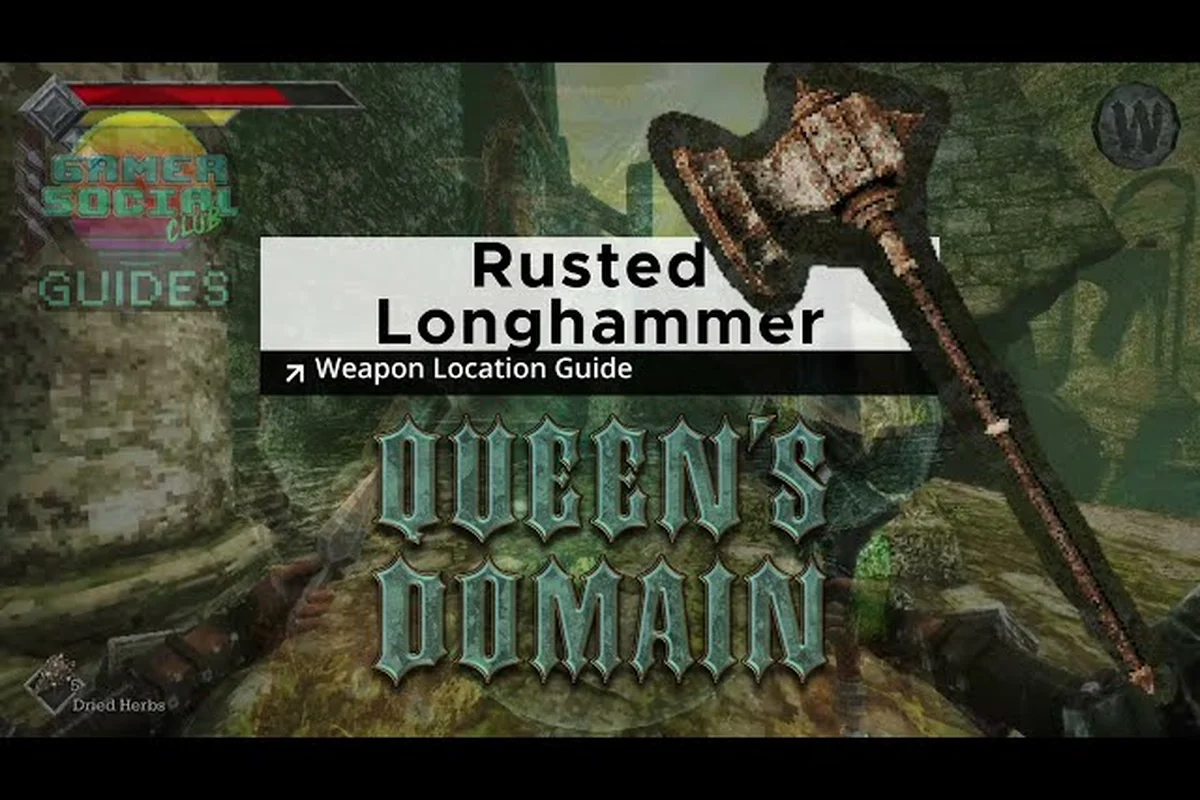
The Queen's Domain weapons evolve freeze is fixed in version 1.01.01, restoring access to a confirmed progression feature after launch. The patch also repairs several other interruptions, while the October 30 launch and Steam Deck verification shape how quickly players can begin testing their progress safely.
What the Queen's Domain Weapons Evolve Freeze Fix Changed
Version 1.01.01 addresses a freeze that occurred while a weapon was evolving. The developer's patch note confirms that weapons can evolve, but it does not publish the full evolution rules, required materials, upgrade costs, or the names of eligible weapons. As of 2026-10-31, those details remain undocumented and must be verified in game.
This matters because a freeze interrupts progression at the moment the player expects an upgrade, and repeated attempts could make it unclear whether the save is damaged. The patch should remove that failure point, although players should still confirm that their weapon evolves and that the resulting state survives a continued session.
Confirmed Patch Coverage
Beyond the weapon evolution freeze, version 1.01.01 documents fixes across progression-blocking encounters, including the Mimic freeze and Pit of Despair soft lock, alongside restored water return points near Neasied and a corrected Star Lizard bag. The table separates confirmed patch coverage from practical checks: players can test whether an eligible weapon evolution completes, the Mimic encounter continues, the Pit of Despair no longer stalls progression, and the missing return point appears after entering water.
| Version 1.01.01 item | Confirmed status | What players can verify |
|---|---|---|
| Weapon evolution interruption | Fixed | Initiate an eligible evolution and confirm the process completes |
| Pit of Despair soft lock | Fixed | Reach the area and confirm progression no longer stalls |
| Executioner door | Fixed | Confirm the previously stuck door opens normally |
| Mimic freeze | Fixed | Fight the Mimic and confirm the encounter can continue |
| Water return pits near Neasied | Restored | Test a missing return point after entering water |
| Star Lizard bag | Corrected | Confirm the item no longer floats above the creature |
The Executioner door is a door that became stuck, not a boss or named character. That distinction prevents players from searching for a nonexistent encounter, while the Pit of Despair soft lock correction targets a potentially disruptive progression obstacle in an already lengthy adventure.
A Practical Evolution Test
Because Queen’s Domain has not published a complete upgrade sequence or confirmed weapon list, treat an evolution freeze as a reproducible failure rather than proof that the weapon cannot evolve. For example, test one eligible Queen’s Domain weapon through the upgrade interface, note whether input freezes immediately after evolution starts or only when the menu should close, and repeat the same attempt after saving. A persistent freeze at the same checkpoint suggests a control or state-handling issue; a one-time interruption calls for a continue check before upgrading another weapon.
-
Select an eligible weapon in the game's upgrade interface.
-
Begin the evolution process without interrupting the control or menu input.
-
Confirm that the weapon reaches its new state and that the menu exits normally.
-
Save or continue to a fresh session, then inspect the weapon again.
-
Repeat the check before spending valuable resources on additional upgrades.
| Checkpoint | Expected result | Failure signal |
|---|---|---|
| Evolution starts | No prolonged loading or frozen input | Game stops responding |
| Evolution completes | Weapon receives an updated state | Result remains ambiguous |
| Menu returns | Player regains control | Input still does not register |
| Continue check | Updated state remains present | Upgrade appears to be lost |
| Second evolution attempt | No repeat freeze | Failure occurs consistently |
This test is especially useful for the broader Queen's Domain weapons progression because the developer confirms the evolution feature but has not documented a complete weapon list or detailed upgrade sequence. For more on the confirmed categories and upgradeable equipment, consult the Queen's Domain weapons overview.
Queen's Domain Release Date, Release Time, and Launch Platforms
Queen's Domain launched on October 30, 2026, with the Queen's Domain release date confirmed for PC, PlayStation 5, Xbox Series, and Nintendo Switch 2. The PC edition arrived through Steam for Windows, while the same-day console release made the launch a multi-platform event rather than a Steam-only opening.
A regional release time was not published in the official baseline. Players searching for the Queen's Domain release time should therefore verify the store countdown for their region and platform. There is no documented basis for assigning a single universal hour to every storefront or timezone.
Launch Availability at a Glance
| Platform | Release status on October 30, 2026 | Verified details |
|---|---|---|
| PC via Steam | Released | Windows only; Steam Cloud and Family Sharing supported |
| PlayStation 5 | Released | Same-day console availability confirmed |
| Xbox Series | Released | Same-day console availability confirmed |
| Nintendo Switch 2 | Released | Same-day console availability confirmed |
| Other platforms | Not documented as of 2026-10-31 | Verify individual storefront listings |
The Queen's Domain launch carried a base price of $19.99, 19.49 EUR, or 15.99 GBP. A 15% launch-week discount was time-limited and should not be treated as a permanent price. For console pricing, platform features, and region-specific release details, the Queen's Domain console release overview provides a useful cross-platform reference.
Launch Context and Reception
The game reached 300,000 wishlists at launch, following earlier milestones of 100,000, 200,000, and 275,000. On October 31, its Steam snapshot showed 219 reviews with 94% positive feedback, placing it in the Very Positive category. The official Discord had 1,469 members at that snapshot, although membership does not confirm player activity or patch testing results.
| Launch metric | Published figure | Date context |
|---|---|---|
| Steam wishlists | 300,000 | At launch |
| Steam reviews | 219 | Snapshot on 2026-10-31 |
| Positive review rate | 94% | Snapshot on 2026-10-31 |
| Steam rating label | Very Positive | Snapshot on 2026-10-31 |
| Official Discord membership | 1,469 | Snapshot on 2026-10-31 |
These figures measure launch interest rather than the final balance of every combat system. With a described adventure length of at least 40 hours, the launch snapshot covers only an early portion of the campaign, leaving room for later encounters, weapon upgrades, enemy variations, and potential evolution changes to shape the experience in Queen’s Domain. The 94% positive Steam rating therefore reflects initial reception, not proof that every weapon or encounter had reached its final balance state.
Steam Deck Verified and Steam Machine Readiness
Queen's Domain is listed as Steam Deck Verified and Steam Machine Verified. That status confirms platform compatibility under Steam's verification program, while full controller support—including DualShock and DualSense controllers—improves the experience on handheld and living-room setups. The word Verified should not be read as a guarantee that every visual setting is ideal on every device. It is also separate from the technical requirements listed for Windows PCs. Players should still update the client and game, leave sufficient storage space, and test the controls they intend to use.
Verification Meaning by Device
| Device or program | Documented status | Practical meaning |
|---|---|---|
| Steam Deck | Verified | Supported for play on the handheld via Steam |
| Steam Machine | Verified | Supported for play through Steam on the listed hardware class |
| Windows PC | Supported | Windows 10 64-bit with a listed graphics card and system level |
| PlayStation 5 | Released | Console version available at launch |
| Xbox Series | Released | Console version available at launch |
| Nintendo Switch 2 | Released | Console version available at launch |
The official minimum requirements list an Intel i5 quad-core processor at 2.5 GHz, 4 GB of RAM, a GTX 760 or RX 560, DirectX 11, and 1,500 MB of storage. Recommended specifications move to an i5 quad-core at 3.5 GHz, 6 GB of RAM, and a GTX 1060 or RX 580.
Before Starting a Long Session
A handheld or Steam Machine installation should be checked before a multi-hour run because controller support, Proton/Windows compatibility, and the weapon evolution interface can expose issues that a keyboard-only desktop test may miss. For example, if a weapon’s evolution selection appears frozen after the patch, restart the game and revisit the upgrade menu before assuming the 1.01.01 fix failed. The same early check helps distinguish an input or display-scaling problem from a genuine freeze in Queen’s Domain’s weapon upgrade sequence.
-
Confirm the Windows build launches and reaches the menu without an update loop.
-
Test both analog sticks, face buttons, trigger inputs, and the pause menu.
-
Reopen the weapon upgrade interface to ensure the 1.01.01 fix is present.
-
Check the save after closing and reopening the game.
-
Verify that the display scale and text remain readable.
-
Keep the 1,500 MB minimum storage requirement in mind before downloading updates.
The Queen's Domain hidden secrets and Steam Deck overview is useful for checking the game on a handheld, but the weapon evolution procedure remains the most direct verification of this patch. These controls and platform labels are confirmed as of 2026-10-31; future compatibility changes were not documented.
Why the 1.01.01 Fix Matters for Long Sessions
The weapon evolution freeze matters because it intersects two demanding systems: equipment progression and stamina-based combat. Queen's Domain includes more than 50 melee weapons, 20-plus types of throwing weapons, charge attacks, and a special attack associated with each melee weapon. Evolution can therefore become a central part of planning how a weapon is used across a lengthy campaign.
The Queen's Domain weapons evolve freeze did not permanently erase progress according to the patch notes, but it interrupted the expected upgrade process. The practical value of version 1.01.01 is that players can test evolution before committing to a long expedition or reorganizing their equipment choices.
Connecting Upgrades to Stamina Management
| Documented combat element | Relevance to the patch | Verification approach |
|---|---|---|
| Stamina meter | Failed or repeated attacks may waste opportunities | Observe whether the meter behaves normally after an upgrade |
| Charge attacks | A freeze during setup can leave the action unfinished | Test a charge attack after evolving a weapon |
| Weapon-specific special attack | Confirmed for every melee weapon | Verify the assigned move remains available |
| Throwing weapons | More than 20 documented types provide alternate options | Check that secondary equipment still functions |
| Weapon upgrades | Equipment can be found, equipped, upgraded, and evolved | Confirm each menu state after the fix |
Players should treat a successful evolution as a checkpoint, not as proof that every related system is bug-free. Compare the upgraded weapon's behavior with an unequipped option, then return to the menu and save. The game does not publish numerical stamina costs, damage values, or exact evolution requirements, so those details must be checked directly rather than estimated from an external guide.
When a Freezing Symptom Still Appears
If the screen appears frozen after 1.01.01, first distinguish an evolution freeze from another launch-day issue. The patch also fixed a Mimic freeze, the Pit of Despair soft lock, and the Executioner door. The location and action immediately preceding the interruption provide the clearest diagnostic information.
| Observation | Likely area to inspect | Recorded detail |
|---|---|---|
| Freeze during an evolution menu action | Weapon upgrade interface | Version 1.01.01 fix target |
| Freeze after beginning a Mimic encounter | Mimic encounter | Version 1.01.01 fix target |
| Progress stops around a closed door | Executioner door | Version 1.01.01 fix target |
| Progress stops in the named danger area | Pit of Despair | Version 1.01.01 fix target |
| Item appears separated from a creature | Star Lizard bag | Version 1.01.01 fix target |
Record the exact location, nearby enemy, weapon state, and last action before restarting. That information can be checked against the patch list without inventing an undocumented cause. Since no official website or confirmed subreddit exists as of 2026-10-31, players should also use the Steam news feed, store listings, and the official Discord for patch visibility rather than relying on unverified support channels.
Release Timing, Patch Context, and Unknowns
The Queen's Domain console release occurred on the same date as the PC launch, but regional storefront timing was not documented. A synchronized calendar date should not be mistaken for a synchronized hour worldwide. The most reliable approach is to check the local store countdown and ensure the installed build reports version 1.01.01 or a later update. The version history is small and specific. Demo hotfixes 1.0.1, 1.0.2, and 1.0.3 exist, followed by launch and the wider 1.01.01 correction release. There is no published roadmap, DLC plan, seasonal event, or next-update date.
Known Release History
| Version or event | Confirmed purpose or status |
|---|---|
| Demo hotfix 1.0.1 | Demo correction release |
| Demo hotfix 1.0.2 | Demo correction release |
| Demo hotfix 1.0.3 | Demo correction release |
| October 30 launch | PC, PS5, Xbox Series, and Switch 2 release |
| Version 1.01.01 | Six launch-correction categories, including the evolution freeze |
| Future update date | Not documented as of 2026-10-31 |
What Patch 1.01.01 Settled and Left Open
| Topic | Confirmed | Not documented as of 2026-10-31 |
|---|---|---|
| Weapon evolution | Feature exists; freeze fixed in 1.01.01 | Exact requirements, costs, and eligible weapons |
| Release date | October 30, 2026 | A separate staggered date for another platform |
| Release time | Not published | One universal global hour |
| Steam Deck | Verified | Performance on every possible configuration |
| Steam Machine | Verified | Performance on every possible configuration |
| Future content | No announcement | DLC, roadmap, events, or update schedule |
Avoid treating early community impressions as a formal roadmap. Player reports can reveal friction or provide testing examples, but they do not establish the next patch date, the exact evolution formula, or the contents of an unannounced update. The official baseline remains the authority for the facts documented here.
A Practical Update Checklist
Players returning after encountering the Queen's Domain weapons evolve freeze should verify the installation first, then test the smallest repeatable upgrade path. This order distinguishes a missing update from an unresolved glitch and avoids consuming materials before confirming that the weapon state persists.
First 10 Minutes After Updating
| Step | Action | Purpose |
|---|---|---|
| 1 | Confirm the installed build includes version 1.01.01 or later | Establishes which fixes are active |
| 2 | Open the weapon upgrade interface | Checks access to the affected system |
| 3 | Evolve one eligible weapon without interrupting input | Tests the reported failure directly |
| 4 | Leave and reopen the equipment menu | Confirms the new state remains accessible |
| 5 | Continue from the latest save | Tests persistence across sessions |
| 6 | Test the weapon's normal attack and special attack | Detects broader equipment problems |
| 7 | Revisit the Steam release notes | Confirms the current patch list |
Following a Fresh Launch
Players who began at launch can use the same procedure before exploring again. The official Steam page for Queen's Domain on Steam is the appropriate place to verify the current build, store details, platform information, and published patch notes. After the freeze test, new players should also check basic traversal. Flight with the Legendary Holy Sword Endu is the main traversal method, and cliffs provide major gating, so a restored weapon menu does not guarantee that every unrelated obstacle is resolved. Nevertheless, the launch corrections collectively reduce several immediate interruptions in progression and combat.
Frequently Asked Questions
Was the Queen's Domain weapons evolve freeze fixed?
Yes. Version 1.01.01 explicitly lists the freeze that occurred while weapons evolve among its corrections. Players should update the game, evolve an eligible weapon, reopen the equipment menu, and continue the save to confirm that the corrected state persists. Exact evolution requirements were not documented as of 2026-10-31.
What is the Queen's Domain release date?
The confirmed Queen's Domain release date is October 30, 2026. The game launched for Windows PC through Steam alongside PlayStation 5, Xbox Series, and Nintendo Switch 2. Players should still check their store page for any region-specific timing because a single global release hour was not documented.
Is Queen's Domain Steam Deck Verified?
Yes, Queen's Domain is Steam Deck Verified, and the game is also listed as Steam Machine Verified. The platform also supports full controller input, including DualShock and DualSense. Verification indicates supported Steam play, so players should still update the client, confirm their settings, and test the weapon menu after installing version 1.01.01.
Did version 1.01.01 fix anything besides weapon evolution?
Yes. The patch also addresses the Pit of Despair soft lock, the stuck Executioner door, a Mimic freeze, missing water return pits around Neasied, and a Star Lizard bag floating in the air. These are documented corrections, although the patch notes do not explain their exact technical causes or provide individual reproduction steps.
When will the next Queen's Domain update arrive?
No future update date was announced as of 2026-10-31. The developer has not documented a roadmap, DLC schedule, seasonal event, or sequel plan. Check the Steam release notes and official store listing for current information rather than treating community predictions as a confirmed release schedule.
The clearest takeaway is that version 1.01.01 removes the weapon evolution interruption and repairs several related launch problems. With the October 30 release confirmed across PC and current consoles, plus Steam Deck and Steam Machine verification, players can begin by updating, testing one full evolution cycle, and saving before committing to a long expedition.